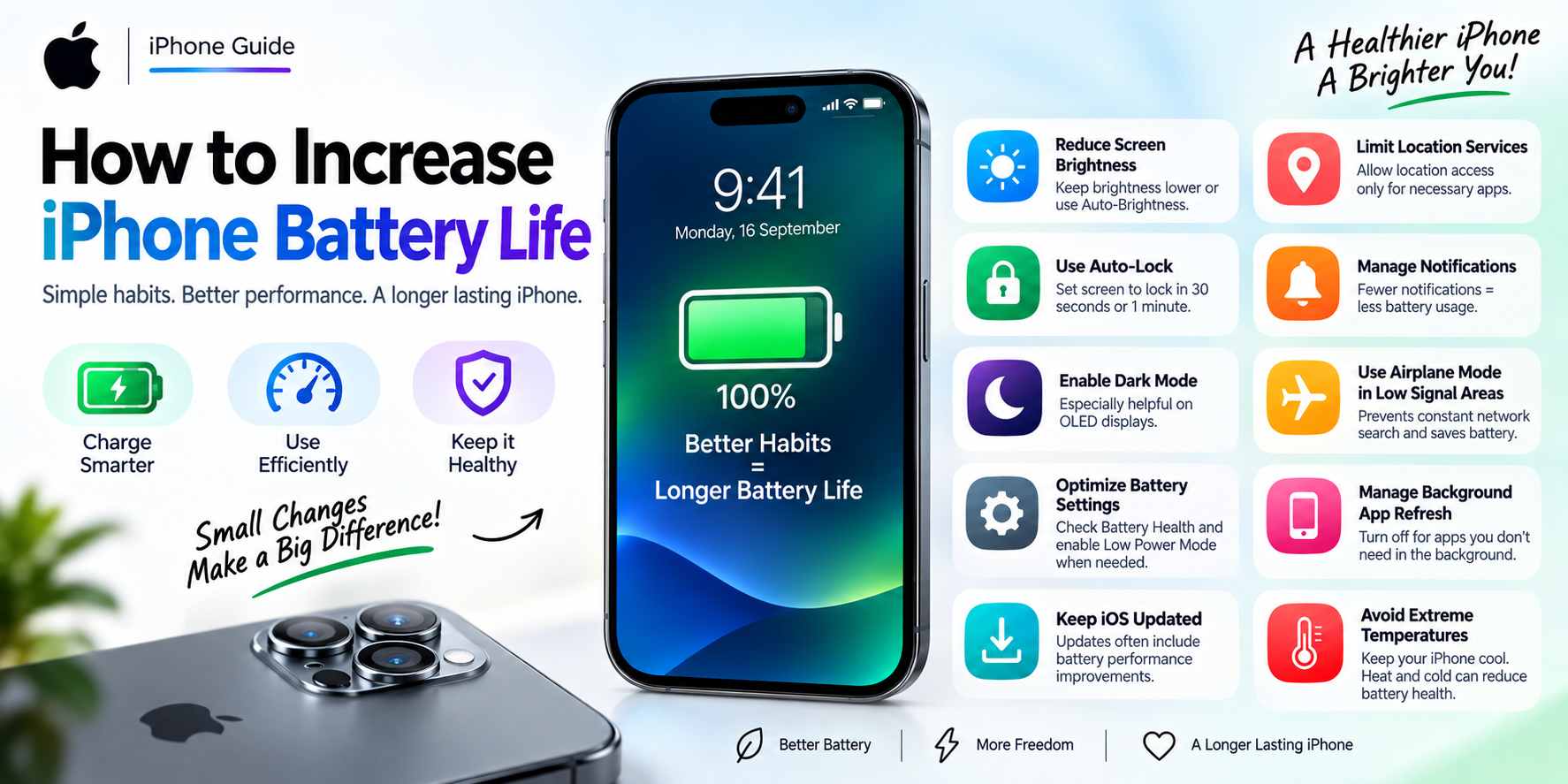
10 practical, no-nonsense tips to slow down iPhone battery wear — plus when tips stop working and replacement is the real fix.
If your iPhone's battery percentage is dropping faster than it used to, or Settings shows your Battery Health below 85%, you're not imagining it. Lithium-ion batteries degrade with every charge cycle — but how you charge and use your iPhone can slow that degradation down significantly, or speed it up.
Here's what actually works, based on how iPhone batteries are built and what we see every day repairing devices at our Dwarka Sector 7 store.
You can't reverse battery wear that's already happened — but you can slow future degradation by avoiding heat, avoiding 0–100% extremes, using Optimized Battery Charging, and keeping iOS updated. If your Battery Health is already under 80%, tips won't fix it — only a battery replacement will.
Go to Settings → Battery → Battery Health & Charging. This tells you your Maximum Capacity — how much charge your battery can hold compared to when it was new.
Heat is the single biggest killer of lithium-ion battery capacity — far more damaging than normal charging cycles. Common heat sources people don't think about:
If your phone feels warm while charging, take the case off or move it to a cooler spot.
Settings → Battery → Battery Health & Charging → Optimized Battery Charging.
This learns your daily routine and delays charging past 80% until shortly before you usually unplug — reducing the time your battery spends sitting at a full, high-voltage charge (which accelerates wear).
Lithium-ion batteries last longer when kept roughly between 20% and 80%. Letting the battery repeatedly drain to 0% or sit at 100% for long periods both add stress. You don't need to obsess over this daily — just avoid making a habit of either extreme.
Cheap, uncertified fast chargers often don't regulate voltage properly, which generates excess heat during charging. This is one of the most common causes of accelerated battery wear we see in devices brought in for repair. Stick to MagSafe, Apple-certified, or well-reviewed MFi-certified chargers.
Apple regularly ships battery and power-management improvements in iOS updates — including fixes for background apps that drain battery unnecessarily. Go to Settings → General → Software Update and stay current.
Apps constantly refreshing in the background or pulling GPS location keep your battery — and by extension your charging cycles — working harder than necessary.
Settings → General → Background App Refresh — turn this off for apps you don't need updating in real time. Settings → Privacy & Security → Location Services — set apps to "While Using" instead of "Always" wherever possible.
Low Power Mode reduces background activity and some visual effects, which reduces the demand on your battery. Useful when you're out for the day and can't charge — not something you need permanently on.
If you're not using an iPhone for an extended period (a backup device, an old phone), store it at around 50% charge in a cool, dry place — not fully charged and not fully drained. Storing at 100% for weeks stresses the battery even with the phone off.
If iOS shows a "Battery Health" warning or your phone shuts down unexpectedly even above 20% charge, that's the battery telling you it can no longer deliver peak current — no setting or habit will fix that. At that point, a battery replacement is the only real fix, and waiting longer only means more shutdowns and slower performance from power throttling.
These habits genuinely slow down future battery wear — but they cannot restore capacity a battery has already lost. If your Battery Health is already below 80%, or you're getting random shutdowns, a battery replacement is a same-day fix, not a big repair. At Apple Repair Station, Dwarka Sector 7, we replace iPhone batteries (iPhone 7 through the latest models) with tested, original-quality parts, backed by our warranty — most walk-in replacements are done in 30–60 minutes.
Can I actually improve/repair a degraded battery without replacing it? No. Once lithium-ion battery capacity drops, it cannot be restored through charging habits or software — only replacement restores full capacity.
Does fast charging damage iPhone battery health? Apple-certified fast charging is safe for daily use. The real risk comes from cheap, uncertified chargers that don't regulate voltage or heat properly.
Should I charge my iPhone overnight? It's fine if Optimized Battery Charging is enabled, since it prevents the phone from sitting at 100% all night. Without it, keeping the phone plugged in at full charge for 8+ hours daily can add unnecessary wear over time.
At what Battery Health percentage should I replace my iPhone battery? Apple's own guidance flags anything below 80% as needing service. Most users notice a real difference in day-to-day battery life once it drops into the low 80s.
How much does iPhone battery replacement cost in Dwarka? Pricing depends on the iPhone model. Visit our store in Dwarka Sector 7 for a free diagnosis and a written, transparent quote before any repair — or message us on WhatsApp with your model for an instant estimate.
Noticing shutdowns, fast battery drain, or a Battery Health warning? Walk into Apple Repair Station, Dwarka Sector 7 for a free diagnosis, or book a free pickup anywhere in Delhi NCR.
Q: Can I actually improve/repair a degraded battery without replacing it?
A: No. Once lithium-ion battery capacity drops, it cannot be restored through charging habits or software — only replacement restores full capacity.
Q: Does fast charging damage iPhone battery health?
A: Apple-certified fast charging is safe for daily use. The real risk comes from cheap, uncertified chargers that don't regulate voltage or heat properly.
Q: Should I charge my iPhone overnight?
A: It's fine if Optimized Battery Charging is enabled, since it prevents the phone from sitting at 100% all night. Without it, keeping the phone plugged in at full charge for 8+ hours daily can add unnecessary wear over time.
Q: At what Battery Health percentage should I replace my iPhone battery?
A: Apple's own guidance flags anything below 80% as needing service. Most users notice a real difference in day-to-day battery life once it drops into the low 80s.
Q: How much does iPhone battery replacement cost in Delhi/NCR?
A: Pricing depends on the iPhone model. Visit our store in Dwarka Sector 7 Delhi 110075 for a free diagnosis and a written, transparent quote before any repair — or message us on WhatsApp with your model for an instant estimate.